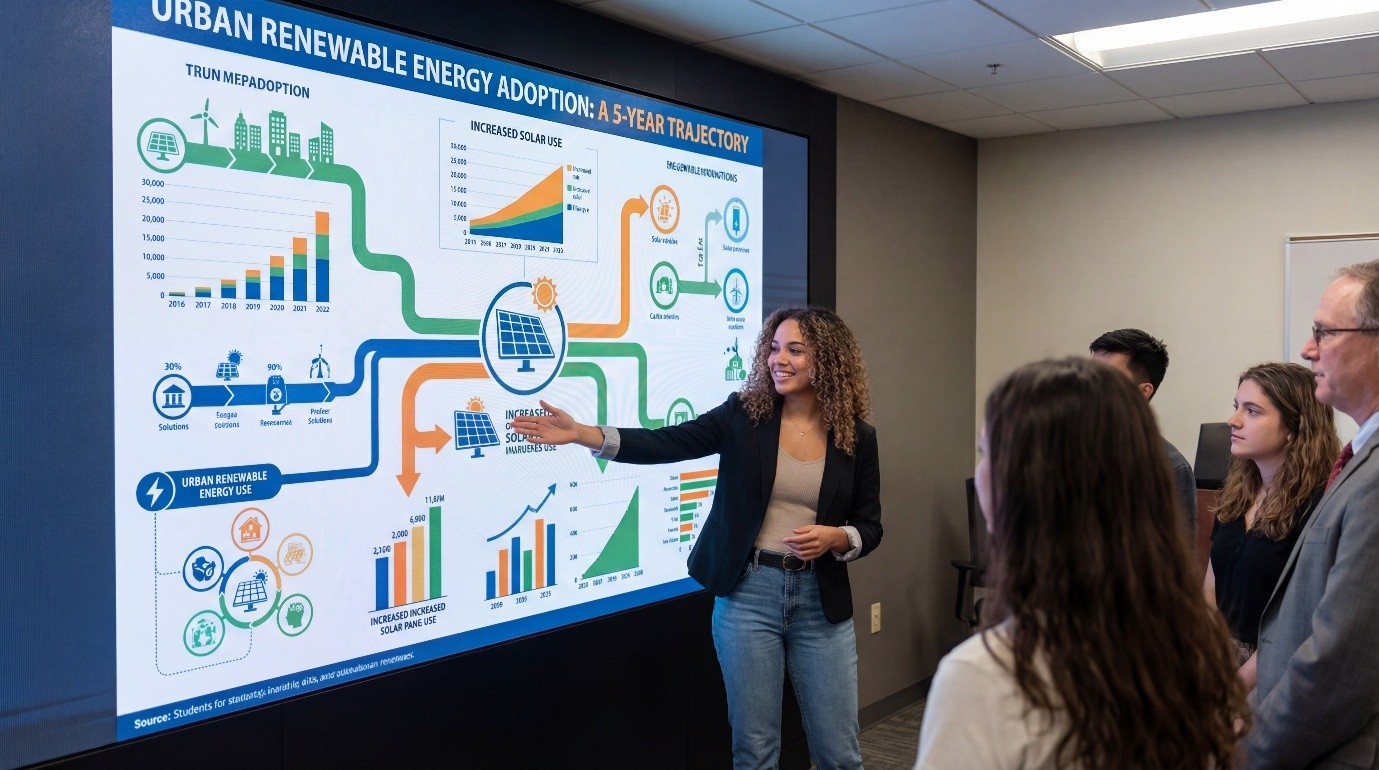
AI empowers every student to produce professional-grade visuals instantly, shifting the focus of education from technical execution to strategic storytelling.
AI, Digital, and Multimodal Media
How AI is Democratizing Visual Communication and Transforming Design Education
The impact of AI on visual communication may prove as transformative as its impact on text generation—perhaps more so. AI tools now enable anyone to create professional-quality images, infographics, presentations, and videos without specialized training or expensive software. This democratization fundamentally changes what business communication instructors must teach and how they teach it.
Yet this transformation raises profound questions: If students can generate professional visuals in seconds, do they still need design education? How do we teach visual storytelling when technical execution barriers disappear? What becomes the instructor’s role when AI handles tasks we previously taught? This hub explores these questions and provides frameworks for teaching visual communication effectively in the AI era.
The Visual Revolution: How AI Changes Everything
Beyond Stock Photos: The AI Visual Content Transformation
Traditional business communication relied heavily on stock photography—generic images that often failed to capture specific concepts or contexts precisely. The selection was limited, costs were prohibitive for custom work, and most students lacked skills to create original visual content. Business communication pedagogy adapted to these constraints, teaching students to work within limitations rather than create freely.
AI image generation eliminates these constraints entirely. Students can now create custom visuals tailored precisely to their communication needs—conceptual illustrations, data visualizations, presentation graphics, infographics—all without design training or expensive tools. A student explaining a complex business process can generate a custom diagram showing exactly that process. A student creating a persuasive presentation can generate images that precisely reinforce specific arguments.
This capability fundamentally shifts visual communication pedagogy. The constraint isn’t execution anymore—it’s strategic thinking. Students must learn to envision what visuals would serve their communication purposes, craft prompts that generate those visuals, and evaluate whether the results actually enhance communication effectiveness. The bottleneck moves from technical skill to conceptual clarity.
What Every Student Could Create Professional Visuals in 30 Seconds Means for Teaching

Figure 1.1 Zero Barriers. When professional design takes seconds, the excuse of “I’m not an artist” disappears. Visual literacy becomes a baseline expectation for every assignment.
When professional-quality visual creation takes 30 seconds rather than 30 hours, everything changes. The excuse for poor visual communication—’I don’t have design skills’—evaporates. Every student can now produce professional-looking visuals, which means visual communication quality becomes a genuine expectation rather than an aspiration.
This democratization has profound implications:
- Visual literacy becomes essential for all students, not just those pursuing design-focused careers
- The focus shifts from technical execution to strategic decision-making about visual communication
- Students must learn to evaluate visual quality, appropriateness, and effectiveness
- Visual storytelling instruction can emphasize narrative and persuasion rather than technical skills
- The bar for acceptable visual communication in student work rises significantly
INTERNAL LINK SUGGESTIONS:
→ Impact analysis: Beyond Stock Photos: AI Has Game-Changing Impact on Business Visual Content
→ Implications: What If Every Student Could Create Professional Visuals in 30 Seconds
[CTA BUTTON: See AI Visual Communication Examples]
Design Skills in the AI Era: Obsolete or Essential?
The Question Everyone’s Asking
If AI can generate professional visuals instantly, do students still need to learn design principles? The question arises naturally but rests on a false premise. AI doesn’t eliminate the need for design knowledge—it changes how that knowledge is applied. Students still need to understand visual hierarchy, color psychology, typography fundamentals, and compositional principles—not to execute designs manually, but to evaluate and refine AI-generated outputs effectively.
The designer’s role evolves from creator to creative director. Rather than learning Photoshop or Illustrator extensively, students learn to envision effective visuals, articulate design requirements clearly, evaluate AI outputs critically, and refine results strategically. This requires design knowledge—just applied differently than in pre-AI pedagogy.
What Design Education Becomes
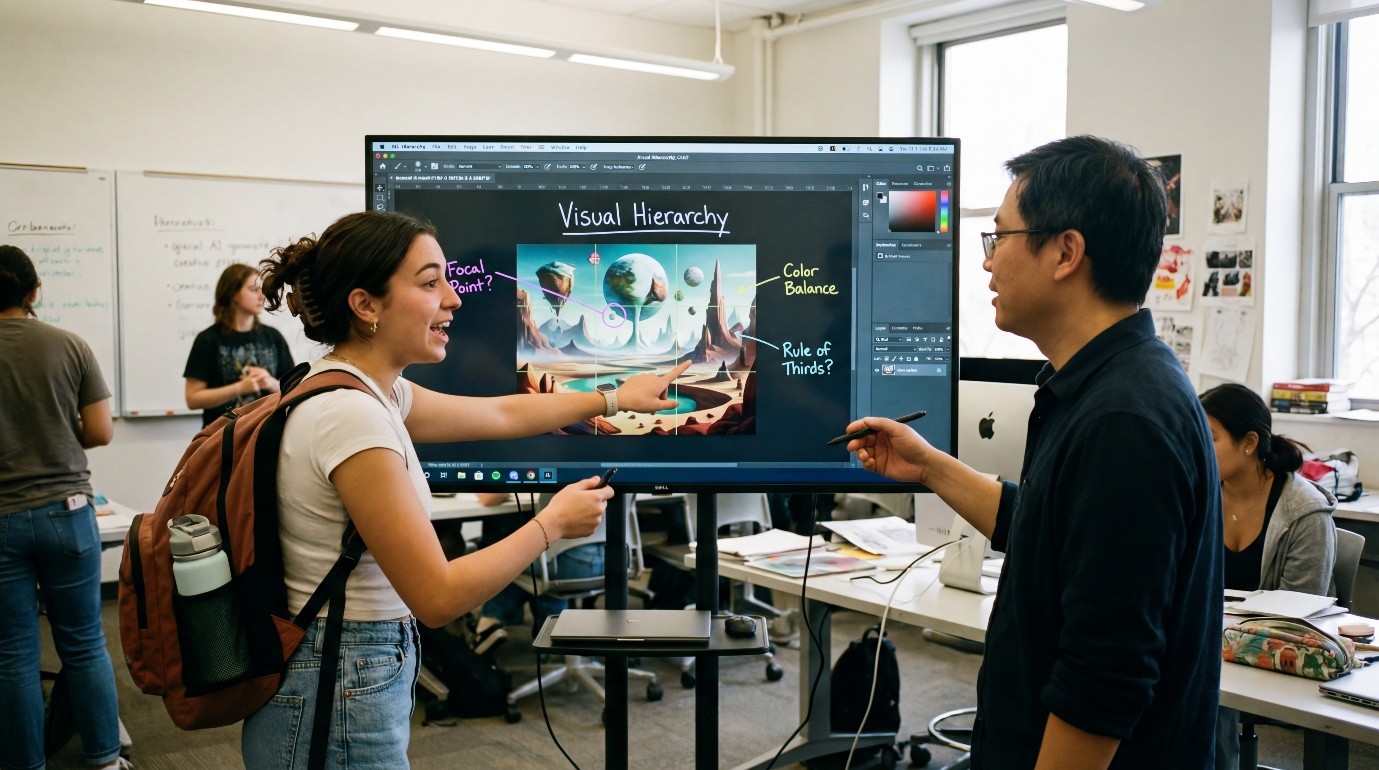
Figure 1.2 The Creative Director Role. Students now act as creative directors, evaluating AI outputs against design principles and requesting strategic refinements.
Design education shifts emphasis from execution toward judgment. Students still learn design principles, but the application changes:
- Visual hierarchy: Understanding how viewers’ eyes move through compositions to guide attention strategically
- Color theory: Recognizing how color choices affect mood, readability, and message reception
- Typography: Identifying when fonts enhance versus undermine professional communication
- Composition: Evaluating balance, spacing, and element relationships
- Data visualization: Ensuring graphs and charts communicate accurately and effectively
- Accessibility: Guaranteeing visuals work for diverse audiences including those with disabilities
Students apply these principles not by creating designs manually but by evaluating AI outputs against these criteria and requesting refinements when designs fall short. This judgment-focused approach may actually produce deeper understanding than traditional execution-focused instruction.
The Continuing Value of Design Expertise
Some fear that emphasizing judgment over execution devalues design expertise. The opposite proves true. When technical barriers fall, the quality of design thinking becomes more visible and valued. AI can generate visually competent designs, but it cannot determine communication strategy, understand subtle cultural contexts, recognize when visual approaches might offend or mislead, or make nuanced aesthetic judgments that distinguish excellent from merely adequate.
These higher-order design capabilities—strategic thinking, cultural awareness, ethical consideration, aesthetic judgment—represent what design expertise has always truly meant. AI makes this expertise more visible by handling routine execution, allowing design thinking to shine through more clearly.
INTERNAL LINK SUGGESTION:
→ Deep dive: Is the AI Visual Revolution Making Traditional Design Skills Obsolete
Teaching Visual Storytelling When Students Can’t Draw—But AI Can
The Liberation: Focus on Story, Not Execution
Traditional visual storytelling instruction faced a persistent challenge: students understood that visuals should tell stories, but many lacked the drawing or design skills to execute their visions. This gap between understanding and capability frustrated both students and instructors. Teaching focused heavily on working within technical limitations rather than developing storytelling excellence.
AI eliminates this execution barrier. Students who can envision a visual story can now generate the images to tell it, regardless of drawing ability. This liberation enables instruction to focus where it should: on storytelling strategy, narrative structure, emotional resonance, and audience engagement rather than technical workarounds.
What Visual Storytelling Instruction Emphasizes
With execution barriers removed, visual storytelling instruction can emphasize the elements that truly matter:
- Narrative arc: How visual sequences create beginning-middle-end story structures
- Emotional engagement: Using visual elements to evoke specific emotional responses
- Character and context: Creating visuals that establish relatable scenarios
- Visual metaphor: Using imagery to represent abstract concepts concretely
- Pacing and flow: Controlling information revelation through visual sequencing
- Audience connection: Selecting imagery that resonates with specific audiences
These storytelling fundamentals matter far more than technical drawing skills. Students who develop strong visual storytelling concepts can leverage AI to execute them, while students who can draw but lack storytelling sense produce technically competent but narratively weak communication.
The Pedagogy of Visual Conceptualization
Teaching visual storytelling in the AI era requires helping students develop clear visual concepts before attempting execution. This conceptualization-first approach includes:
- Brainstorming visual possibilities: Generating multiple concepts before committing to one
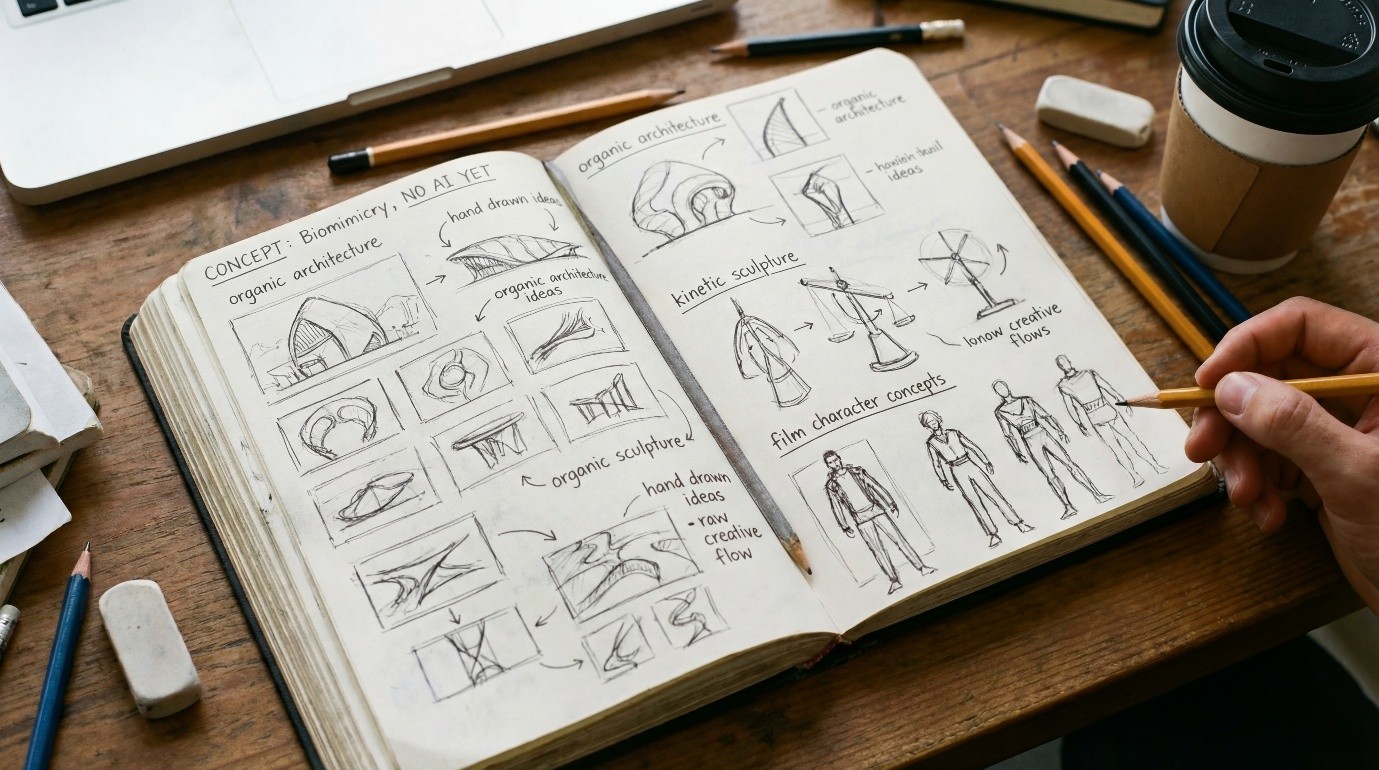
Figure 1.3 Concept First. The most important work happens before the prompt is written. Teaching students to sketch and conceptualize ensures the AI serves their vision, not the other way around.
- Sketching thumbnails: Rough planning of visual sequences even without drawing skill
- Articulating visual intent: Describing what each image should communicate and evoke
- Critiquing concepts: Evaluating whether visual ideas actually serve communication purposes
- Refining based on feedback: Iterating concepts before and after AI generation
This conceptual emphasis produces better visual communication than execution-focused approaches ever did. Students learn to think visually and strategically, skills that remain valuable regardless of execution tools.
INTERNAL LINK SUGGESTION:
→ Teaching strategies: How Do You Teach Visual Storytelling When Students Can’t Draw—But AI Can
[CTA BUTTON: Access Visual Storytelling Teaching Framework]
Teaching Digital Media in the Age of AI
The Multimodal Communication Reality
Professional communication in 2025 is inherently multimodal. Professionals don’t just write emails or create presentations—they produce integrated communications combining text, images, video, audio, data visualizations, and interactive elements. AI makes creating these multimodal messages dramatically easier, which means multimodal competency becomes baseline expectation rather than advanced skill.
Business communication instruction must acknowledge this reality. Courses focused exclusively on written communication, however excellent, leave students unprepared for professional contexts where visual and multimodal communication proves equally or more important. Digital media instruction becomes essential, not optional, in comprehensive business communication education.
What Digital Media Instruction Includes
Comprehensive digital media instruction in business communication contexts addresses:
- Visual communication: Images, infographics, and visual design principles
- Data visualization: Charts, graphs, and visual data representation
- Presentation design: Slide decks that integrate text, visuals, and data effectively
- Video communication: Recording, editing, and delivering video messages professionally
- Digital documents: Creating professional-looking reports, proposals, and documents
- Social media content: Platform-appropriate visual and text combinations
- Accessibility: Ensuring digital content works for all audiences
AI tools make creating this diverse content more accessible, but students still need instruction in strategic decision-making about which formats serve which purposes, how to integrate modes effectively, and how to maintain professional standards across media.
The Integration Challenge: Text, Visual, and Interactive

Figure 1.4 The Integration Puzzle. The core skill of the future is integration—knowing how to balance and combine different media types to reinforce a single, powerful message.
The hardest digital media skill isn’t creating individual elements—it’s integrating them effectively. A report needs appropriate balance of text, visuals, and data. A presentation requires coordination of spoken words, slides, and perhaps video. A proposal might combine written analysis, visual timelines, budget spreadsheets, and supporting graphics.
Teaching effective integration requires helping students understand when each mode communicates most effectively, how modes reinforce or undermine each other, and how to create coherent messages across media. This integration thinking represents higher-order communication skill that AI assists but cannot replace.
Platform Literacy and Professional Standards
Different platforms and contexts have different professional standards for digital media. LinkedIn posts require different visual approaches than Instagram. Internal company presentations follow different design conventions than external client pitches. Video messages to teams differ from video messages to executives.
Digital media instruction must develop students’ platform literacy—understanding how professional digital communication adapts to different platforms, audiences, and purposes. This contextual sophistication distinguishes professionals from amateurs, regardless of AI assistance in content creation.
INTERNAL LINK SUGGESTION:
→ Comprehensive guide: What’s the Best Way to Teach Digital Media in the Age of AI
[CTA BUTTON: Download Digital Media Teaching Resources]
Practical Implementation: Integrating Visual and Digital Media Instruction
Starting Points for Instructors
Instructors uncertain where to begin with visual and digital media instruction can start strategically:
- Introduce visual elements into existing assignments: Require infographics alongside reports, slides with presentations
- Teach basic visual principles: Cover enough design fundamentals for competent evaluation
- Demonstrate AI visual tools: Show students how to generate and refine visual content
- Provide evaluation frameworks: Give students criteria for assessing visual quality
- Model visual thinking: Show your own process for conceptualizing visual communication
- Build progressively: Start with simple visuals, increase sophistication across the semester
This incremental approach prevents overwhelming students or instructors while developing genuine visual communication competency over time.
Resources and Support
Instructors don’t need to develop visual and digital media curriculum from scratch. Leading business communication resources now integrate visual instruction throughout, provide frameworks for teaching visual communication without design backgrounds, include AI-generation examples and exercises, offer assessment rubrics for visual work, and supply instructor guidance for visual communication pedagogy.
Leveraging these resources enables effective visual instruction without requiring instructors to become design experts themselves. The key is using resources strategically while maintaining focus on communication effectiveness rather than technical perfection.
Looking Forward: The Visual Communication Future

Figure 1.5 Future Vision. As we move toward AR and VR, the fundamental skills of visual strategy and judgment taught today will remain the bedrock of tomorrow’s immersive communication.
Visual and digital media capabilities will only expand. AI will generate increasingly sophisticated visuals, video, and multimodal content. Augmented and virtual reality may become standard business communication channels. The specific tools will evolve continuously.
What won’t change is the need for strategic visual thinking, judgment about effective visual communication, and integration of visual elements with text and data to create coherent messages. Students who develop these enduring capabilities adapt successfully to evolving technologies. Those who learn only today’s specific tools struggle with tomorrow’s changes.
The opportunity for business communication education is clear: by embracing visual and digital media instruction now, when AI makes it accessible to all students, we can develop visual communication competencies that distinguish our graduates and serve them throughout careers spanning decades of technological evolution.
Recommended Cross-Hub Internal Links
Connect readers to related content across the hub network:
To AI in the Curriculum & Textbook Differentiation Hub:
Discover how leading textbooks integrate visual communication throughout, not just in isolated design chapters.
To Teaching AI Without Being an AI Expert Hub:
Learn how to teach visual AI tools confidently without design or technical expertise.
To Teaching Strategies & Innovation Pillar:
Explore active learning strategies for visual communication, including visual learning approaches that engage every student.
To Real-World & Culture-Rich Teaching Hub:
See how visual communication connects to contemporary culture, social media, and emotional storytelling.
Featured Calls-to-Action
Primary CTA:
[Download Visual Communication in the AI Era Teaching Guide]
Secondary CTAs:
[Access AI Visual Storytelling Assignment Templates]
[View Design Principles Quick Reference for Non-Designers]
[See How Business Communication Today Teaches Visual Communication]
[Download Digital Media Assessment Rubrics]
—