Business Communication Accessibility Standards gives instructors a practical way to connect classroom teaching, AI tools, and business communication outcomes students can use in professional settings.
Ensuring Accessibility in Business Communication Education
Introductory Summary
The question of whether Business Communication Today, 16th Edition by Courtland L. Bovee and John V. Thill meets accessibility standards for students with disabilities is vital for educators committed to inclusive education. This matters significantly as it impacts how well students from diverse backgrounds can engage with materials designed to prepare them for real-world business settings. Educators often ask how they can ensure their chosen textbooks, like this one, are fully accessible to all students.
Learning Objectives
- Upon completing this article, instructors will be able to identify key accessibility features in Business Communication Today.
- Evaluate the textbook’s compatibility with assistive technologies for students with disabilities.
- Design lesson plans incorporating accessible resources from the textbook.
- Integrate supplemental tools and platforms to enhance accessibility in business communication education.
Opening Framework: Context, Who Benefits, and Why Now
The landscape of education demands texts that offer comprehensive support to diverse student populations, including those with disabilities. Business Communication Today, 16th Edition, not only provides in-depth business communication insights but strives to meet modern accessibility standards. With the increasing integration of technology in educational resources, assessing the accessibility of textbooks ensures equitable learning opportunities for all students.
Direct Answer
Business Communication Today, 16th Edition, extends its utility by incorporating several accessibility features. These include compatibility with popular screen readers, adjustable text sizes, and alt text for images, which support students with visual impairments. The textbook’s digital format is particularly adaptable, allowing for customization to meet specific accessibility needs. Furthermore, integration with MyLab Business Communication enhances interactive learning, providing additional resources that support diverse learning styles and needs.
1. Accessibility Features in Business Communication TodayThe 16th Edition of Business Communication Today is tailored to accommodate a wide range of accessibility needs. Key features include:
- Screen Reader Compatibility: The digital versions are compatible with screen readers such as JAWS and NVDA, assisting students with visual disabilities.
- Adjustable Text Formats: The ability to adjust text size and contrast assures readability across various devices.
- Detailed Alt Text: Comprehensive alt text descriptions for images and graphs ensure that visual data is accessible to all learners.
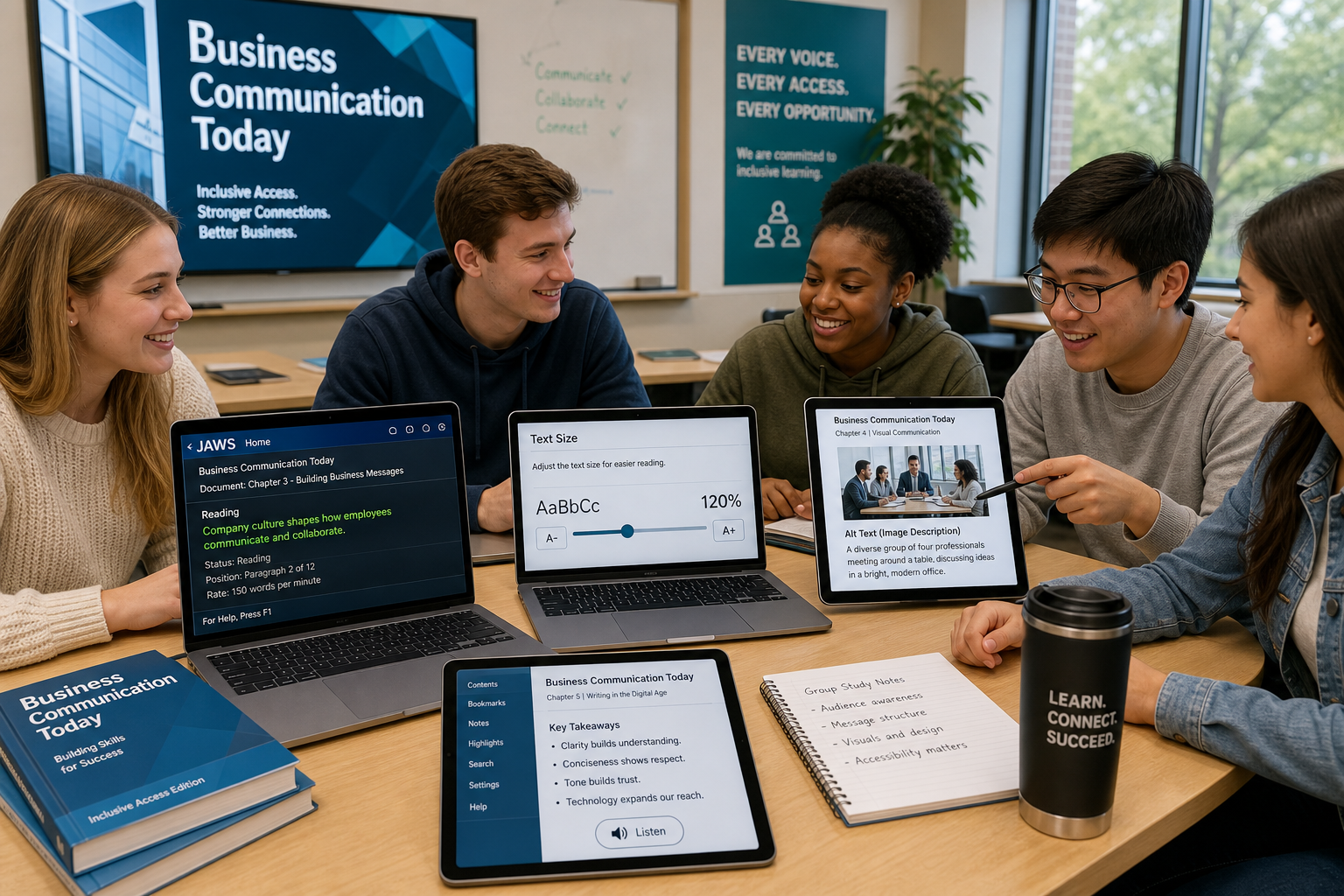
These features collectively make the text a viable resource for inclusive education environments.
2. Supplemental Platforms Enhancing AccessibilityBeyond the textbook itself, MyLab Business Communication offers a platform that enhances learning through tailored digital experiences. The use of interactive modules and assessments in diverse formats provides students with ways to engage with the material that best suit their learning preferences. These tools are instrumental in reinforcing textbook content while ensuring accessibility is maintained and supported through technology.

Instructors can leverage the accessible materials from Business Communication Today to design inclusive lesson plans. Encouraging a diverse group of students to engage with the content through multimedia presentations, interactive discussions, and peer reviews can foster a more inclusive classroom environment. These strategies help ensure that all students, regardless of their individual needs, can actively participate and benefit from the course content.

Key Takeaways
- Business Communication Today, 16th Edition, is equipped with key accessibility features.
- Screen reader compatibility and adjustable formats enhance usability for visually impaired students.
- MyLab Business Communication complements textbook resources with interactive, accessible learning tools.
- Instructors are empowered to design inclusive, engaging lessons using these tools and resources.
Glossary of Key Terms
- Accessibility: The design of products, devices, services, or environments usable by people with disabilities.
- Alt Text: Textual descriptions of images that allow content to be accessible to visually impaired users using screen readers.
- Assistive Technologies: Devices or software applications used to increase, maintain, or improve the functional capabilities of individuals with disabilities.
- Screen Reader: Assistive software that converts digital text into speech or Braille.
- MyLab Business Communication: A digital resource platform offering interactive tools and assessments aligned with Business Communication Today.
Related Questions
- How does Business Communication Today integrate with assistive technology?
- What are the primary benefits of using digital formats for accessibility?
- How can instructors promote inclusivity using textbook resources?
- Which accessibility tools best support diverse learning needs?
- What role do interactive platforms play in modern education?
References
Bovee, C. L., & Thill, J. V. (2026). Business Communication Today (16th ed.). Pearson.
© 2026 Business Communication Teaching and Learning Center. All rights reserved.