
Choosing platforms that fit communication goals and course constraints
Table of Contents
- Introductory Summary
- Learning Objectives
- Opening Framework: Context, Who Benefits, and Why Now
- Direct Answer
- 1. Start With Course Outcomes, Not Platform Branding
- 2. Match Platform Strengths to Communication Tasks
- 3. Where Excellence in Business Communication Fits
- 4. A Practical Adoption Checklist
- Key Takeaways
- Glossary of Key Terms
- Related Questions
- References
Introductory Summary
For instructors comparing teaching platforms for business communication, the best choice is usually the one that supports feedback, practice, accessibility, and manageable course delivery rather than the one with the longest feature list. Excellence in Business Communication, 15th Edition by Courtland L. Bovee and John V. Thill, is useful in this conversation because its supporting materials point to a platform strategy centered on practice, analytics, instructor resources, and varied communication formats.
Learning Objectives
- Evaluate teaching platforms based on communication-course learning outcomes.
- Differentiate when LMS tools, publisher platforms, and stand-alone apps are most useful.
- Identify platform features that matter most for writing, presentation, and revision work.
- Build a short review checklist before adopting a digital platform for a course or program.
Opening Framework: Context, Who Benefits, and Why Now
Business communication courses ask students to write, revise, present, collaborate, and choose media strategically, so platform decisions affect instruction more directly here than in many survey courses. This matters in face-to-face, hybrid, and online sections alike, especially when students bring different levels of digital experience, access, and confidence into the classroom.
Direct Answer
The best teaching platforms for business communication courses are usually a combination of three layers: your campus LMS for course management, a publisher-supported learning platform when it provides meaningful practice and feedback, and a small number of focused tools for presentations, collaboration, or document design. No single platform is best for every instructor. The strongest choice is the one that helps students practice real communication decisions, gives instructors usable feedback on performance, supports accessibility, and does not create unnecessary complexity.
1. Start With Course Outcomes, Not Platform Branding
It is easy to compare platforms by name recognition or by how many tools they advertise. A better starting point is to ask what students must actually do in your course: draft professional messages, analyze audience needs, deliver presentations, collaborate on documents, or revise based on feedback.
Bovee and Thill emphasize student success through reflection, recall, analysis, and skill development, and they describe realistic cases that require students to analyze situations, make strategic decisions, and create effective messages. That matters because a platform should support those kinds of decisions, not just content delivery or quiz administration.
In practice, many instructors need at least two platform functions. First, students need a stable place to find materials, submit work, and track deadlines. Second, they need a place to practice communication and receive feedback that goes beyond correctness alone.
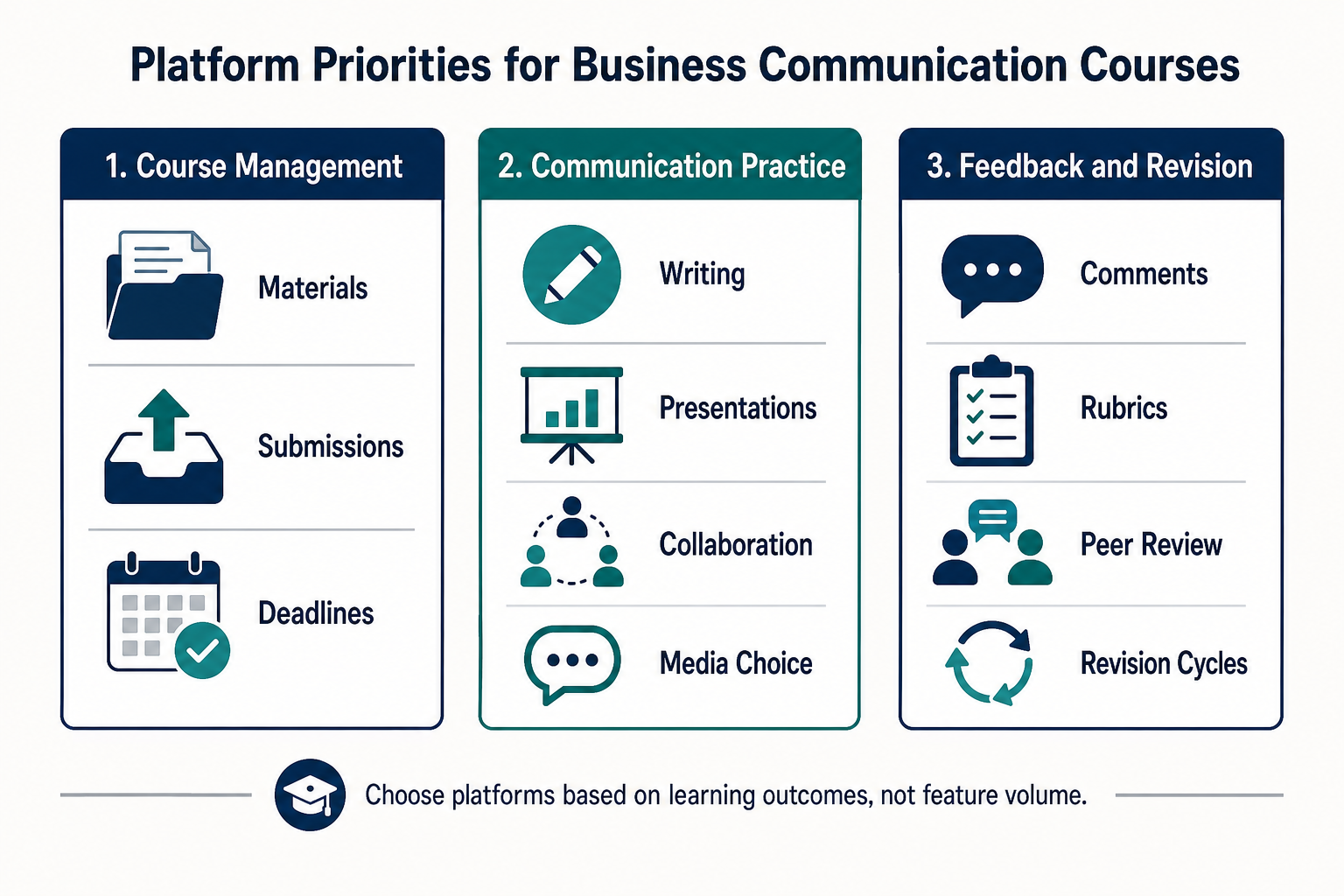
What to prioritize first
If your course is writing-heavy, prioritize revision support, document commenting, and workflow clarity. If your course emphasizes oral presentations, prioritize recording, slide integration, and presentation feedback. If you teach a broad business communication course, look for a platform mix that handles written, oral, digital, and visual communication without forcing every activity into the same tool.
2. Match Platform Strengths to Communication Tasks
One helpful distinction from Excellence in Business Communication is that communication media have different advantages and limitations. The text distinguishes among oral in-person, oral digital, written printed, written digital, and visual media, which gives instructors a practical way to think about platforms as well.
LMS platforms
Your LMS is usually the best home base for announcements, grading, assignment submission, and weekly structure. It is often less effective as the only environment for advanced communication practice, especially when students need iterative feedback, media-rich composing, or more specialized presentation work.
Publisher platforms
Publisher platforms can be strong when they add structured practice, analytics, and feedback tied to course outcomes. According to the supplied material for Bovee and Thill, the MyLab environment supports self-paced modules with adaptive feedback, and the instructor dashboard provides real-time data on engagement and performance patterns. For instructors, that can make a publisher platform especially useful when large sections or multiple preps make manual tracking difficult.
Specialized tools
Specialized tools can help with collaborative writing, slide design, video presentations, peer review, or infographic work. Use them selectively. Every added tool increases cognitive load for students and setup work for instructors, so the gain should be clear and tied to a real course task.
The same caution applies to presentation software. Bovee and Thill note that animation, interactivity, and multimedia can help when they serve the message, but decorative motion can distract audiences. That principle applies to platform choice too: choose tools for functional value, not novelty.

3. Where Excellence in Business Communication Fits
If you are considering a textbook-platform package, Excellence in Business Communication offers several features that are relevant to platform evaluation. The preface describes instructor resources such as an instructor’s manual, test bank, TestGen, and accessible PowerPoints. It also describes digital elements such as MyLab, mobile-friendly resources, adaptive components, and learning analytics.
The most distinctive platform-related claim in the supplied excerpts is the EBC15 Teaching Navigator and its NeuroOptimized Lab. Bovee and Thill describe these as tools that diagnose communication problems, coach revision toward stronger judgment and audience awareness, and connect coursework to career readiness. The lab is described as a place where students practice for clarity, cognitive load, tone, and audience impact, revise in stages, and compare AI-generated and human-refined communication.
For instructors, that suggests a good fit when your course emphasizes revision, audience analysis, and professional decision-making rather than one-draft submission. It may be especially attractive if you want students to see why acceptable grammar is not the same as effective business communication.
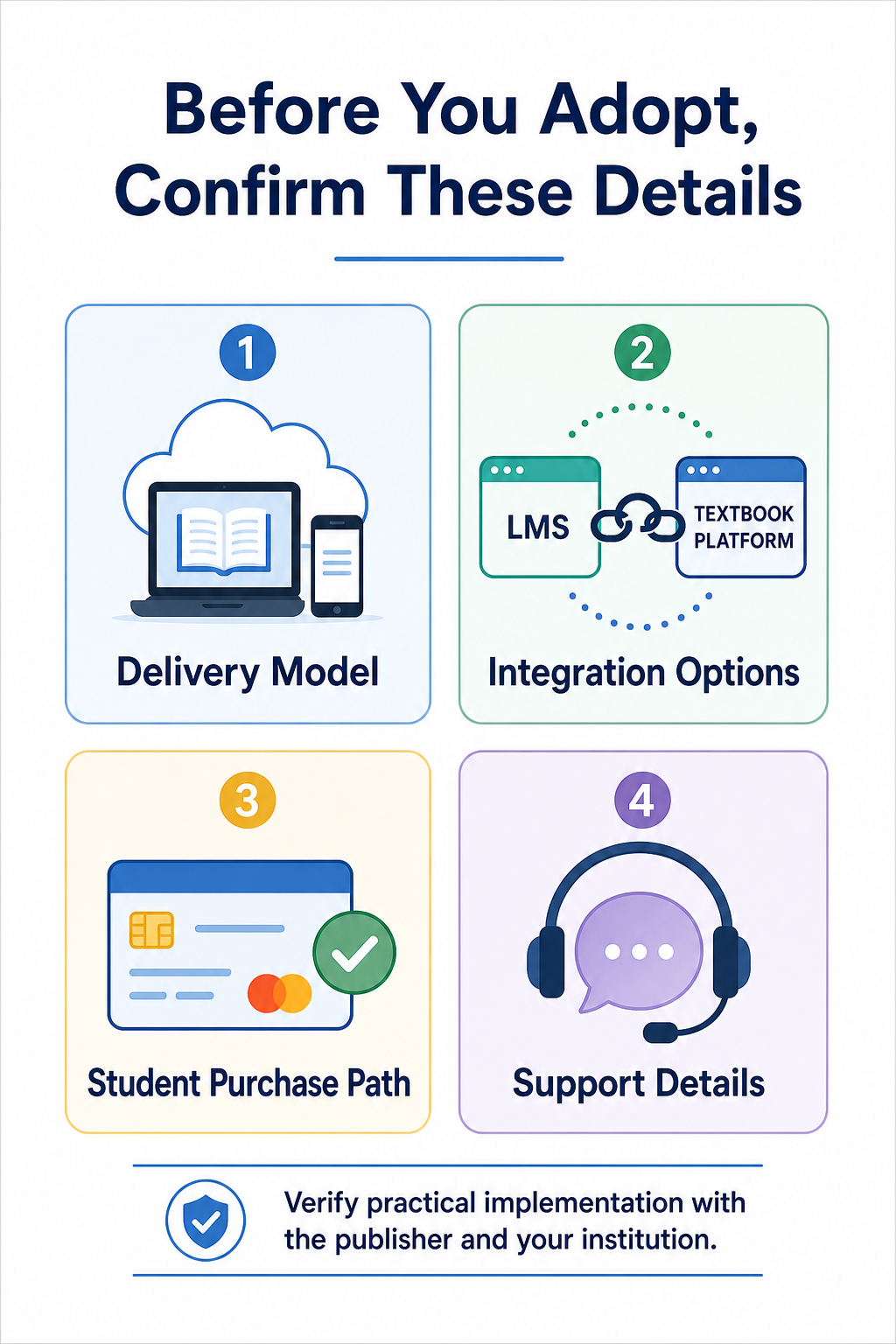
At the same time, you should confirm the current delivery model, integration options, student purchase path, and support details with Pearson before adoption. The excerpts support the existence of these resources, but practical implementation questions such as access terms, platform setup, and institution-specific compatibility still need to be checked directly.
4. A Practical Adoption Checklist
When comparing platforms for a business communication course, I would suggest using a short trade-off checklist rather than a long feature spreadsheet.
Ask these four questions
- Does it support the kinds of communication students must produce? Look for alignment with writing, presentations, collaboration, and media choice.
- Does it improve feedback quality or efficiency? The best platforms either deepen feedback, speed up revision cycles, or make patterns in student performance easier to see.
- Is it accessible and manageable? The EBC15 materials specifically note accessible PowerPoints with keyboard and screen-reader access, alternative text, and high contrast. Use that same standard when reviewing every platform in your stack.
- Does it reduce or increase course friction? A platform should simplify teaching and learning. If it creates log-in confusion, scattered submissions, or too many disconnected tools, its pedagogical value may not justify the burden.
A simple pilot assignment can help. For example, ask students to draft a short audience-focused message, revise it after feedback, and reflect briefly on how the platform affected their choices. That gives you evidence about usability, revision support, and student engagement before you build a whole course around a tool.
Key Takeaways
- Choose platforms by learning outcomes, not by brand familiarity alone.
- Most business communication courses work best with an LMS plus one strong practice or feedback platform.
- Publisher platforms are most valuable when they add adaptive practice, revision coaching, or instructor analytics.
- Use specialized tools only when they clearly improve a communication task students must complete.
- Confirm access, support, integration, and implementation details with the publisher before adopting any platform package.
Glossary of Key Terms
- Adaptive feedback: Feedback that changes based on student performance and can guide additional practice or revision.
- Cognitive load: The amount of mental effort required to process information during learning or task completion.
- Learning analytics: Performance and engagement data that help instructors monitor progress and adjust teaching.
- Platform integration: The extent to which a digital tool works smoothly with an LMS, gradebook, or other course systems.
- Revision cycle: A structured process in which students receive feedback, improve a message, and resubmit or reflect on changes.
Related Questions
- Question: Should I use only my campus LMS for a business communication course?
Answer: You can, especially for a smaller or lower-tech course design, but an LMS alone may not provide the best environment for intensive revision, presentation practice, or analytics. Many instructors get better results by using the LMS as the course hub and adding one carefully chosen practice tool. - Question: What platform features matter most for teaching business writing?
Answer: Prioritize tools that support drafting, commenting, revision, and clear submission workflows. If a platform also helps students think about tone, audience, and message effectiveness, it is usually more valuable than one focused only on grammar correction. - Question: Are publisher platforms worth the extra complexity?
Answer: They can be, when they save instructor time or provide practice and feedback students would not otherwise get. They are less worthwhile when they duplicate LMS functions without adding meaningful support for communication learning. - Question: How many digital tools should students use in one course?
Answer: Fewer is usually better. Start with the minimum number needed to support core outcomes, then add a tool only when it clearly improves a specific communication task. - Question: How can I compare two platforms before adopting one?
Answer: Run the same short assignment in both environments and compare setup effort, student usability, feedback quality, and grading workflow. A small pilot often reveals trade-offs more clearly than a vendor demo does.
References
Bovee, C. L., & Thill, J. V. (2026). Excellence in Business Communication (15th ed.). Pearson.
© 2026 Business Communication Teaching and Learning Center. All rights reserved.